In the FiOS GPS tracking and fleet management system you can control both vehicles and drivers, including:
- Employees’ work hours, number of rides, and time in trips - Driving quality and driver behavior - Off-hours vehicle usage - Attendances and much more
Moreover, you can contact drivers directly through the GPS system.
This video shows how to register your drivers in the system and assign them to vehicles.
HAZER is the IoT platform to manage moving and stationary objects via sensors and other IoT devices. HAZER displays all sensors on a handy Dashboard.
Depending on a job position, people should have access to different Dashboards. This video explains how to share a sensor monitoring dashboard with various users. You will also learn how to manage shared Dashboards – delete and view as a user.
HAZER is the IoT platform to monitor sensors, counters, and other IoT devices installed in vehicles and buildings. HAZER displays sensors on the Dashboard as widgets of different types.
This video explains how to organize the widgets on HAZER Dashboard:
1. Resize and move them 2. Interact with the map widget
HAZER is the IoT platform to monitor sensors installed in buildings and vehicles. Users can access the solution from anywhere on their laptops and smartphones. Managers can track what users do in HAZER.
This video explains how to view user logs, including:
- Login time and IP address. - Activities in the system, like creating sensors, viewing notifications, and sharing Dashboards with other users.
This way you can see which tasks the users performed throughout the day.
EPORT is the platform for third-party logistics companies, where they can manage every 3PL process and element, including fleets, carriers, customers, transportation orders, and billing. This video explains how to manage trips in EPORT, including:
- How to track the location of transport vehicles? - How to update trip statuses – approved, loading, departed, etc. – both manually and automatically? - How to add customer digital signatures? - How to analyze and edit trip details after it’s finalized?
Need more information? Request a live demo via the website chat in the lower right corner.
EPORT helps to build a delivery ecosystem and build a control center for all 3PL activities. 3PL service providers, carriers, and customers can work in a single system and make all the associated processes transparent.
This video tells how to create a partner on EPORT. It can be a customer, supplier, or any other user. You will learn how to:
- Add a partner with detailed descriptions and contact information. - Manage event-based notifications for the partner.
GOFER is an Uber-like platform for business rides. It automates company fleet management and makes operations more transparent via:
- Car booking on your smartphone or laptop - Fleet utilization analysis - Payments to drivers and fleet expense management - Employee control outside the office
This video explains how to request and get a dispatcher’s approval for a business ride, including:
- How to view all vehicle requests? - How to edit car bookings – vehicle type and class, date and time, purpose, and payer? - How to confirm or reject the ride? - How to add dispatchers’ comments?
Need more information? Request a live demo via the chat in the lower right corner.
GOFER is an Uber-like platform allowing businesses to manage corporate vehicles and business rides on their laptops and smartphones. The software offers a web interface and mobile apps for drivers, dispatchers, and managers.
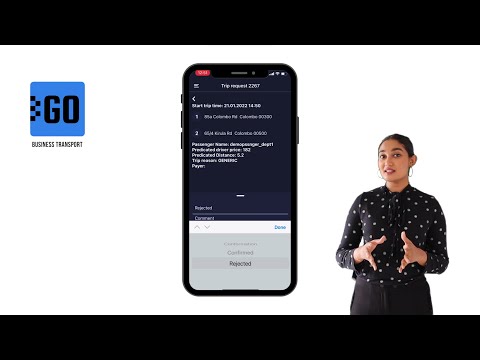
This video explains how to use the mobile app for managers:
✅ View vehicle requests made by employees; ✅ View trip details; ✅ Confirm or reject the request.
GOFER is the platform for corporate transport management. It enables one-click car booking, digitalized transport request management, and company car usage analytics, and much more.
GOFER mobile app was designed for drivers to communicate with passengers, managers, and track earnings. This video explains how to:
- View requested trips - Accept or reject requests - Navigate to the delivery or pickup points via Google Maps - Start or finish the ride - Track earnings - View trip history and statistics