KLOUD Support Clips Channel

KLOUD Support Clips Channel

Quick help for you to self-resolve frequently asked questions.

Last Update 19/06/2023
Completion Time පැය 2 මිනිත්තු 9
Members 1
FiOS Login Page: How to change or recover your password?

Only authorized personnel should access the GPS tracking system. If your password was compromised, be sure to change or recover it. Here's how to do it.

FiOS Tutorials
View all
FiOS Login Page: How to change or recover your password?
Preview

Only authorized personnel should access the GPS tracking system. If your password was compromised, be sure to change or recover it. Here's how to do it.

FiOS Maps: How to use GPS maps for vehicle tracking?
Preview

Most frequent questions about GPS maps answered in 1 minute.

- What objects can you control on the map?
- How to select between OSM, WebGIS, and connect Google Maps?
- How to navigate, resize, zoom the map?

FiOS Monitoring List: How to detect vehicles' motion state?
Preview

See how to quickly detect if your vehicle is moving, stationary, or idling with the engine "On".

Follow us:
Facebook: https://bit.ly/3cJDjcA​​
Twitter: http://bit.ly/3aNMadL​​
Instagram: http://bit.ly/2O4oMyV​​
Linkedin: http://bit.ly/37ADPYP​​

HAZER Tutorials
View all
HAZER: Schedule reports
Preview

HAZER is the IoT platform to monitor sensors installed in buildings and vehicles. You can track sensor values in real-time or in reports. HAZER can automatically send reports to your email. This video explains how to schedule reports, including:

How to view scheduled reports?
How to enable and disable scheduled reports?
How to create scheduled reports for one or multiple sensors?
How to create a detailed schedule?

Need more information? Request a live demo via the chat in the lower right corner.

Follow us:
Facebook: https://bit.ly/3cJDjcA
Twitter: http://bit.ly/3aNMadL
Instagram: http://bit.ly/2O4oMyV
Linkedin: http://bit.ly/37ADPYP


HAZER: Insights Dashboards
Preview

HAZER is the IoT platform to manage vehicles and buildings through sensors and other IoT devices. You can monitor sensor values online and view detailed real-time analytics on special Dashboards.

Insights Dashboards show analytics based on data from IoT devices – electricity, water, gas, fuel, temperature, humidity, vibration, g-values, and any sensors you can imagine – in the form of graphs and pie charts.

This video explains how to create the Insights Dashboard and elaborates on each parameter you will need to configure it. The tutorial is based on real-life HAZER use-cases.

Follow us:
Facebook: https://bit.ly/3cJDjcA
Twitter: http://bit.ly/3aNMadL
Instagram: http://bit.ly/2O4oMyV
Linkedin: http://bit.ly/37ADPYP

HAZER: How to organize widget view?
Preview

HAZER is the IoT platform to monitor sensors, counters, and other IoT devices installed in vehicles and buildings. HAZER displays sensors on the Dashboard as widgets of different types.

This video explains how to organize the widgets on HAZER Dashboard:

1. Resize and move them
2. Interact with the map widget

Follow us:
Facebook: https://bit.ly/3cJDjcA
Twitter: http://bit.ly/3aNMadL
Instagram: http://bit.ly/2O4oMyV
Linkedin: http://bit.ly/37ADPYP

EPORT Tutorials
View all
EPORT: Creating orders with multiple points
Preview

EPORT is the software for 3PL service providers that allows managing orders, carriers, customers, drivers, and transport in one interface. It offers order management, GPS tracking, billing, routing features, and much more.

This video explains how to manage delivery orders, including:

- Creating logistics orders with multiple stop points;
- Checking estimated mileage and cost per kilometer;
- Combining orders for optimized delivery;
- Backhauling orders.

For more information contact us via the website.

Follow us:
Facebook: https://bit.ly/3cJDjcA
Twitter: http://bit.ly/3aNMadL
Instagram: http://bit.ly/2O4oMyV
Linkedin: http://bit.ly/37ADPYP

EPORT: How to create a partner on your account?
Preview

EPORT helps to build a delivery ecosystem and build a control center for all 3PL activities. 3PL service providers, carriers, and customers can work in a single system and make all the associated processes transparent.

This video tells how to create a partner on EPORT. It can be a customer, supplier, or any other user. You will learn how to:

- Add a partner with detailed descriptions and contact information.
- Manage event-based notifications for the partner.

Follow us:
Facebook: https://bit.ly/3cJDjcA
Twitter: http://bit.ly/3aNMadL
Instagram: http://bit.ly/2O4oMyV
Linkedin: http://bit.ly/37ADPYP

EPORT. How to add a new address to a party?
Preview

EPORT is the platform for 3PL service providers. It allows logistics companies, their clients, carriers, and drivers to interact within a single interface.

In EPORT, the clients are called “Parties.” A Party – a manufacturer, supermarket chain, etc. – can have multiple addresses, like separate shops, factories, warehouses.

This video explains how to add multiple addresses for a single Party.

Need more information? Request a live demo on https://www.kloudip.com/eport.

Check out other tutorials on our eLearning portal:
https://bit.ly/3sq65Yz

Follow us:
Facebook: https://bit.ly/3cJDjcA
Twitter: http://bit.ly/3aNMadL
Instagram: http://bit.ly/2O4oMyV
Linkedin: http://bit.ly/37ADPYP

GOFER Tutorials
View all
GOFER: Vehicle requests by passengers
Preview

GOFER is an Uber-like platform for company car booking and management. It’s designed to cut operating costs and automate processes associated with staff transport management.

This video explains how an employee can request a vehicle and manage the booking on a laptop, including:

- Adding or changing pick-up and drop-off points.
- Specifying the date and time.
- Describing the purpose of the business trip.

Need more information? Request a live demo via the chat in the lower right corner.

Follow us:
Facebook: https://bit.ly/3cJDjcA
Twitter: http://bit.ly/3aNMadL
Instagram: http://bit.ly/2O4oMyV
Linkedin: http://bit.ly/37ADPYP

GOFER: Recurring rides
Preview

GOFER is the software to manage company transport and business rides. It allows employees, managers, dispatchers, and drivers to interact in one system.

If an employee needs to go anywhere on business, GOFER will help to make a vehicle request, get managers’ and dispatchers’ approvals, find the right vehicle for the trip, and calculate payments to drivers.

Sometimes, a company needs to transport employees to the same locations every day, for example:

✅ Service teams that do routine checks on remote sites;
✅ Merchandise managers that check goods layout in supermarkets;
✅ People who travel to work and back on a company’s shuttle.

To manage such rides in GOFER, you can create a recurring ride. The system starts recurring rides automatically according to the specified schedule. This relieves dispatchers from the repetitive work of creating the same trips every day.

This video explains how to create a recurring trip in GOFER.

Let us know if you want to make a company car booking as simple as requesting a taxi. We’ll schedule a live demo and free trial for your company: http://bit.ly/37Ahfij

Follow us for more:
Facebook: https://bit.ly/3cJDjcA
Twitter: http://bit.ly/3aNMadL
Instagram: http://bit.ly/2O4oMyV
LinkedIn: http://bit.ly/37ADPYP

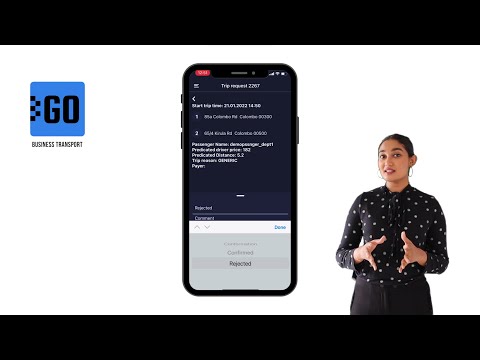
GOFER: How to use the mobile app for managers?
Preview

GOFER is an Uber-like platform allowing businesses to manage corporate vehicles and business rides on their laptops and smartphones. The software offers a web interface and mobile apps for drivers, dispatchers, and managers.

This video explains how to use the mobile app for managers:

✅ View vehicle requests made by employees;
✅ View trip details;
✅ Confirm or reject the request.

Need more information? Request a live demo on https://www.kloudip.com/gofer

Check out other tutorials on our eLearning portal:
https://bit.ly/3sq65Yz

Follow us:
Facebook: https://bit.ly/3cJDjcA
Twitter: http://bit.ly/3aNMadL
Instagram: http://bit.ly/2O4oMyV
LinkedIn: http://bit.ly/37ADPYP

Default channel for slides, all public users can access the content of this channel.