FiOS gives you the opportunity to share vehicles’ location and sensors’ data with people, who are not authorized in the system, for example:
- Share the movements of couriers with clients awaiting delivery - Send the location of a driver with an employee going on a business ride - Show the location of vehicles or bikes with the audience during competitions
This video explains how to share vehicle location, movements, and performance with non-FiOS users.
To start tracking vehicles you need to add them to the worklist. See how to do it manually and automatically in the FiOS fleet management system. Plus, learn to quickly clear your monitoring list without deleting units from the system.
HAZER is the IoT platform to track sensors and counters in vehicles and buildings. You can monitor any number of sensors in real-time, view analytics in reports, receive online notifications, and create separate monitoring dashboards for every room, vehicle, and facility.
This video explains where to find the insights into how your organization uses the IoT platform – all your sensors, reports, notifications, monitoring dashboards, system managers, and administrators.
Need more information? Request a live demo via the chat in the lower right corner.
HAZER is the IoT platform to monitor sensors installed in buildings and vehicles. You can track sensor values in real-time or in reports. HAZER can automatically send reports to your email. This video explains how to schedule reports, including:
How to view scheduled reports? How to enable and disable scheduled reports? How to create scheduled reports for one or multiple sensors? How to create a detailed schedule?
Need more information? Request a live demo via the chat in the lower right corner.
HAZER is the IoT platform to track sensors and other IoT devices on your laptop or smartphone.
HAZER displays each sensor as a colored widget. It shows real-time sensor values and changes color if critical variations or deviations from the norm occur.
This video explains how to:
- Create widgets of various types. - Properly configure the sensors. - Organize the HAZER Dashboard to track multiple sensors. - Monitor sensors via charts and graphs.
EPORT is the delivery ecosystem that unites 3PL service providers, carriers, and their customers in one platform. It allows taking full-chain logistics under control on your laptop.
This video explains how to login into the system and guides you through the core modules of the EPORT.
EPORT is the software for 3PL service providers that allows managing orders, carriers, customers, drivers, and transport in one interface. It offers order management, GPS tracking, billing, routing features, and much more.
This video explains how to manage delivery orders, including:
- Creating logistics orders with multiple stop points; - Checking estimated mileage and cost per kilometer; - Combining orders for optimized delivery; - Backhauling orders.
GOFER is an Uber-like platform for business ride management and company car booking. It allows managing employee transport across multiple branches in a single interface.
This video explains how to use GOFER as a Branch Manager who supervises all staff transportation processes in the company, including:
- Creating managers, drivers, and passengers. - Configuring price plans for each branch, vehicle type, and class.
Need more information? Request a live demo via the chat in the lower right corner.
GOFER is an Uber-like platform allowing businesses to manage corporate vehicles and business rides on their laptops and smartphones. The software offers a web interface and mobile apps for drivers, dispatchers, and managers.
This video explains how to use the mobile app for managers:
✅ View vehicle requests made by employees; ✅ View trip details; ✅ Confirm or reject the request.
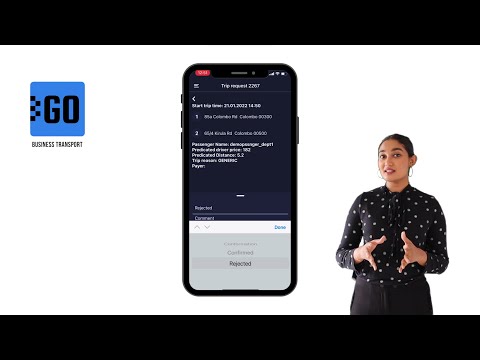
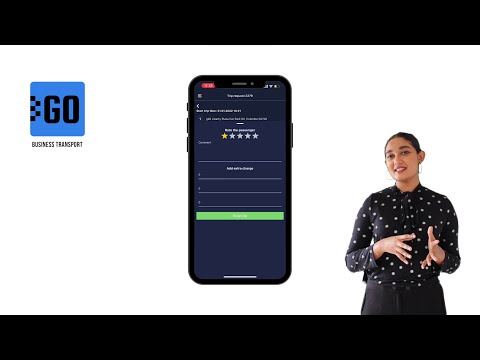
GOFER is an Uber-like platform designed to manage company transport and business rides remotely. The solution comprises a web interface and mobile apps for drivers, dispatchers, and managers.
This video explains how to use the mobile app for drivers:
✅ Log in to the app; ✅ View driver profile, trip requests, and earnings; ✅ Receive new requests from employees; ✅ View routes to the destination; ✅ Communicate with passengers and rate them at the end of the trip; ✅ Confirm or reject trips; ✅ Change trip statuses – waiting for a passenger, on the way, etc.; ✅ Log additional expenses, like highway tickets or emergency maintenance; ✅ Track driver earnings for any period.
Let us know if you want to make a company car booking as simple as requesting a taxi. We’ll schedule a free trial for your company: